
The Complete Guide to Business Checks: Types, Security, Printing, and Ordering
Business checks remain an important part of how companies manage payments and financial transactions. While electronic payments and online banking have become more common, many businesses still use printed checks to pay vendors, employees, contractors, and other business expenses.
Choosing the right business checks can help reduce printing errors, improve security, and simplify accounting. Whether your business prints a few checks each month or processes hundreds of payments, understanding the different types of checks and how they work can help prevent costly mistakes.
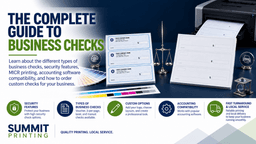
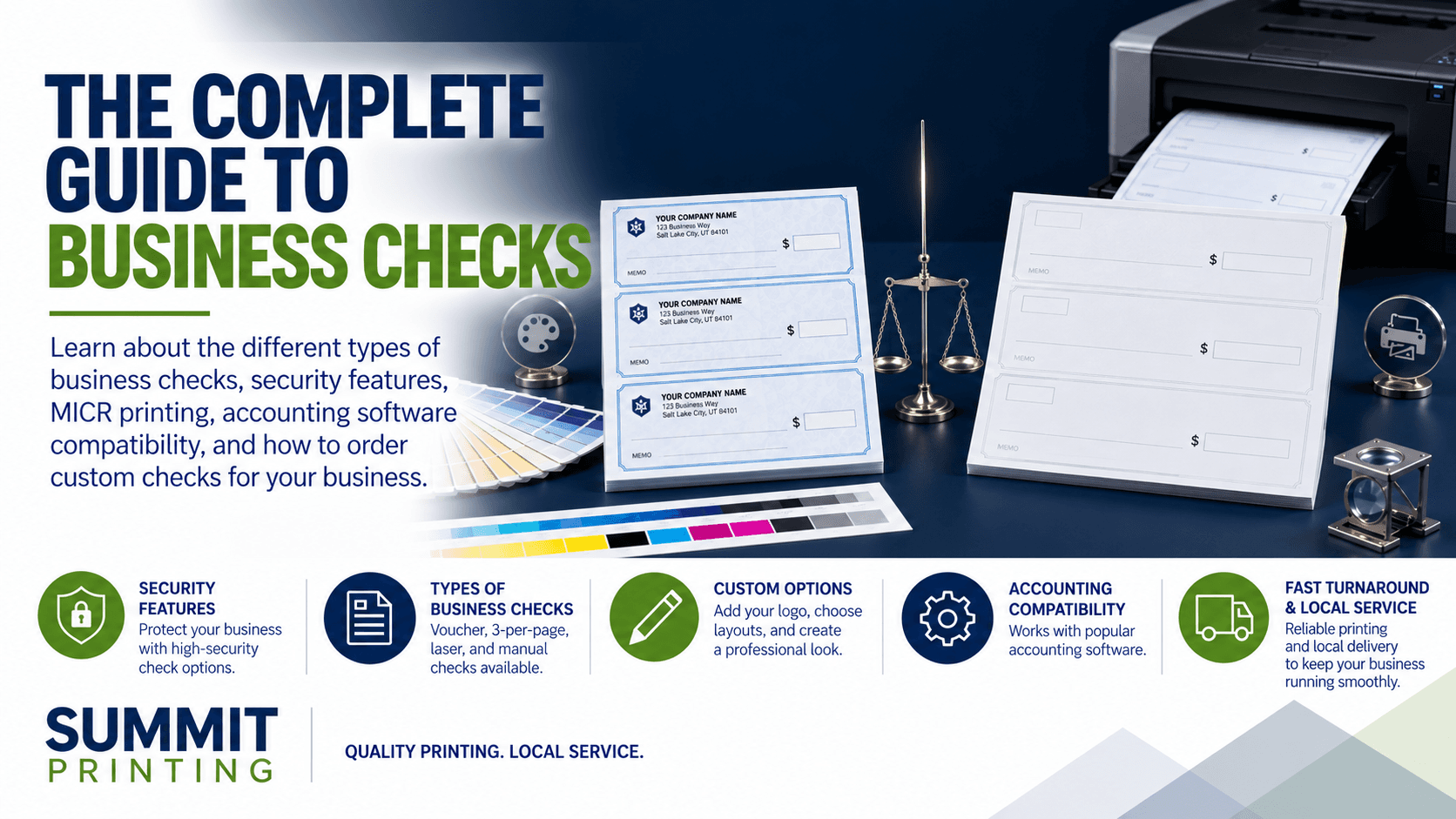
This guide explains the different types of business checks, security features, MICR printing, accounting software compatibility, banking requirements, and what information is needed when ordering checks.
What Are Business Checks?
Business checks are checks issued from a company's bank account to make payments for business expenses. Unlike personal checks, business checks are designed to support accounting, recordkeeping, and payment processing.
Businesses commonly use checks for:
- Vendor and supplier payments
- Employee payroll
- Contractor payments
- Rent and property expenses
- Refunds and reimbursements
- General business expenses
Business checks typically include the company's name, address, bank information, account number, routing number, and check number.
Many businesses also include their company logo to create a more professional appearance.
Types of Business Checks
There are several types of business checks available. The right option depends on how your business processes payments, the accounting software being used, and the number of checks printed.
Voucher Checks
Voucher checks are one of the most common options for businesses that use accounting software.
These checks typically have one check at the top of the page with two detachable stubs below it. The stubs can include payment information, invoice numbers, deductions, and other accounting details.
Businesses commonly use voucher checks for:
- Accounts payable
- Vendor payments
- Employee payroll
- Payment documentation
- Internal recordkeeping
The additional stubs help businesses maintain records without creating separate payment documents.
Voucher checks are commonly available in formats compatible with QuickBooks and other accounting systems.
3-Per-Page Checks
Three-per-page checks allow businesses to print three checks on a standard sheet of paper.
These checks are often used by companies that issue multiple payments and do not need individual payment stubs.
Benefits include:
- Printing multiple checks on one sheet
- Reduced paper usage
- Efficient payment processing
- Convenient printing for larger payment runs
Before ordering, businesses should verify that the check layout is compatible with their accounting software.
Standard Laser Checks
Laser checks are designed for use with office laser printers and accounting systems.
These checks are usually supplied on standard 8.5" x 11" sheets and may be available in several layouts.
Businesses use laser checks because they allow payment information to be printed directly from accounting software.
This reduces the need to handwrite checks and helps maintain consistent payment records.
Manual Business Checks
Manual checks are completed by hand rather than printed through accounting software.
They are commonly used by businesses that issue only a small number of checks or need a backup payment method.
Manual checks may be available in checkbooks or other formats that include recordkeeping stubs.
Although they are convenient for occasional payments, businesses processing larger quantities often prefer laser checks.
What Is MICR Printing?
MICR stands for Magnetic Ink Character Recognition. It refers to the specialized characters printed along the bottom of a check.
The MICR line typically includes:
- Bank routing number
- Account number
- Check number
Banks use this information to help identify accounts and process checks through automated banking systems.
MICR characters are printed using a standardized font and precise positioning.
Why Is MICR Important?
The MICR line helps banking equipment read important check information accurately.
Incorrect MICR formatting can result in:
- Processing delays
- Rejected checks
- Manual handling
- Additional banking fees
- Payment complications
MICR printing commonly uses magnetic ink or toner designed for banking applications. However, banks also use optical imaging technology, and acceptance requirements can vary.
Businesses should verify their bank's requirements before ordering checks or printing MICR information themselves.
Professionally manufactured check stock helps reduce formatting problems and provides consistent check layouts.
Business Check Security Features
Check fraud continues to be a concern for businesses that issue paper payments.
Although no check is completely fraud-proof, security features can make unauthorized alterations and duplication more difficult.
Watermarks
Watermarks are designs or markings incorporated into check paper that can help identify authentic documents.
Some security papers include true watermarks, while others use artificial watermarks visible under certain conditions.
Microprinting
Microprinting uses extremely small text that can be difficult to reproduce accurately using ordinary copying equipment.
When copied or scanned at insufficient resolution, the text may become blurred or appear as a solid line.
Security Screens
Security screens use specialized background patterns that may reveal warning messages when a check is copied.
These features can help identify some types of unauthorized reproduction.
Chemical Protection
Chemical-sensitive paper is designed to react when certain chemicals are used to alter information on a check.
This can help reveal attempts to remove or change printed information.
Toner Adhesion
Some check papers include coatings designed to improve toner adhesion and make certain types of printed alterations more difficult.
This is particularly useful for businesses printing checks with laser printers.
Security Warnings
Many business checks include a security warning box or padlock icon that identifies the security features incorporated into the check.
These markings help businesses and financial institutions understand which features may be present.
Not every check includes the same security options. Businesses should compare the available features when choosing standard or high-security checks.
Standard vs. High-Security Business Checks
One of the most common decisions when ordering business checks is whether to choose standard or high-security check stock.
Standard Business Checks
Standard business checks are designed for routine business payments.
They generally include the necessary check information and may have basic security features.
Standard checks are often suitable for businesses that issue smaller quantities of checks and maintain strong internal payment controls.
High-Security Business Checks
High-security checks include additional features intended to make check alteration and duplication more difficult.
Depending on the product, these may include:
- Chemical-sensitive paper
- Microprinting
- Security backgrounds
- Watermarks
- Toner adhesion features
- Copy-resistant patterns
Businesses issuing larger payments or processing frequent check transactions may benefit from additional security features.
However, security paper should be used alongside internal controls, bank monitoring, and payment verification procedures.
What Is Positive Pay?
Positive Pay is a fraud prevention service offered by many financial institutions.
Businesses provide their bank with information about checks they have issued. When a check is presented for payment, the bank compares it against the submitted information.
Depending on the bank's service, this may include:
- Check number
- Payment amount
- Issue date
- Payee information
If the information does not match, the bank may flag the payment for review.
Positive Pay can help businesses identify unauthorized checks and certain types of check alterations.
Businesses interested in this service should contact their financial institution to learn about enrollment, fees, and available features.
QuickBooks-Compatible Business Checks
Many businesses use QuickBooks to manage accounting, payroll, and vendor payments.
Using checks designed for the correct QuickBooks version and printing layout helps prevent alignment issues and wasted check stock.
Common QuickBooks Check Formats
Businesses commonly use:
- Voucher checks
- Standard three-per-page checks
- Other formats supported by their QuickBooks version
The correct format depends on the software version, check template, and printer configuration.
Before ordering, businesses should confirm the check format supported by their accounting software.
Common QuickBooks Printing Problems
Several issues can occur when printing checks.
Alignment Problems
If the check stock does not match the software template, payment information may print in the wrong location.
Incorrect Printer Settings
Scaling, paper size, and printer settings can affect the placement of information.
Poor Paper Quality
Check stock that is not suitable for the printer can contribute to feeding problems or inconsistent printing.
Incorrect Check Format
Using voucher checks with a template intended for another layout can cause printing errors.
Printing a test page and checking alignment before processing a large payment run can help prevent wasted checks.
Federal Regulations and Banking Standards
Several laws, regulations, and banking standards affect how checks are processed in the United States.
Understanding these requirements helps businesses recognize why proper formatting and secure printing matter.
Check 21 Act
The Check Clearing for the 21st Century Act, commonly called Check 21, took effect in 2004.
The law allows banks to create legally recognized substitute checks from electronic images under specified conditions.
This reduced the need to physically transport original paper checks between financial institutions.
Electronic check imaging has become an important part of modern banking.
Regulation CC
Regulation CC establishes requirements relating to check collection, funds availability, and certain check-processing procedures.
It also includes rules concerning substitute checks.
Businesses should understand that the availability of deposited funds may depend on the type of deposit, bank policies, and applicable regulations.
Uniform Commercial Code
The Uniform Commercial Code, or UCC, provides an important legal framework for commercial transactions.
Articles 3 and 4 address many issues involving checks, negotiable instruments, and bank deposits.
States adopt their own versions of the UCC, so specific legal requirements can vary.
Banking and Check Formatting Standards
Banks and check manufacturers also follow industry standards for check layout and processing.
These standards address matters such as:
- MICR character placement
- Check dimensions
- Document layout
- Image processing
- Readability
Not every recommended security feature is required by federal law.
Businesses should verify specific requirements with their financial institution when ordering custom checks.
What Information Is Needed to Order Business Checks?
Before ordering business checks, it is important to gather the correct information.
Incorrect information can create banking problems and may require checks to be reprinted.
Bank Information
Most check orders require:
- Bank name
- Routing number
- Account number
- Starting check number
This information should be verified against your bank records.
Because account information is sensitive, it should be provided through a secure process rather than an ordinary email whenever possible.
Business Information
Most businesses include:
- Company name
- Mailing address
- Optional telephone number
- Company logo, if desired
The information should match the business's current records.
Check Format
Businesses also need to select the appropriate check format.
Consider:
- Voucher or three-per-page checks
- Accounting software compatibility
- Printer type
- Check quantity
- Security features
Artwork and Branding
Businesses interested in custom logo checks should provide a high-quality logo file.
Vector artwork is often preferred because it can be reproduced clearly at different sizes.
Before printing, businesses should review the layout to verify that the company information and logo appear correctly.
How Often Should Businesses Reorder Checks?
There is no single reorder schedule that works for every business.
The best time to reorder depends on how frequently checks are issued and how long it takes to receive a new supply.
Businesses that print checks every day will need to reorder more frequently than those issuing only a few checks each month.
A good practice is to review check inventory regularly and place a new order before supplies become low.
Businesses should consider:
- Average monthly check usage
- Remaining check inventory
- Printing and delivery lead times
- Seasonal payment increases
- Upcoming payroll or vendor payments
Planning ahead can help avoid rush orders and interruptions to normal payment processing.
When Should Businesses Update Their Check Design?
Business checks do not need to be redesigned on a fixed schedule.
However, there are situations when updating check information is important.
Banking Changes
If your company changes financial institutions or account numbers, new checks may be required.
Old checks should not continue to be used with outdated account information.
Company Name or Address Changes
Businesses should update check information when company details change.
Logo or Branding Updates
A new company logo or updated branding may be a good reason to refresh the appearance of business checks.
Security Improvements
Businesses may also choose to upgrade their check stock when reviewing financial security procedures.
Changes to check designs should be coordinated with the bank when necessary.
Preprinted Checks vs. Blank Check Stock
Businesses may also need to decide between preprinted checks and blank check stock.
Preprinted Business Checks
Preprinted checks have information such as the company name, bank details, and MICR line printed in advance.
Businesses then use accounting software to print payment details.
Advantages include:
- Less specialized printing equipment
- Consistent MICR formatting
- Convenient accounting software integration
- Easier setup for many businesses
Blank Check Stock
Blank check stock allows businesses to print more of the check information themselves.
Depending on the system, this may include bank details and MICR information.
Blank check stock may be useful for businesses managing multiple bank accounts or using specialized check-printing software.
However, it can require additional equipment, software, security procedures, and testing.
For many small and medium-sized businesses, preprinted laser checks provide a simpler option.
Common Business - Check Ordering Mistakes
Ordering the wrong checks can create unnecessary expenses and delays.
Some of the most common mistakes include:
Ordering the Wrong Layout
Check formats vary between accounting systems.
Always verify the correct layout before ordering.
Incorrect Banking Information
Even a small error in account information can make checks unusable.
Review all banking details carefully.
Choosing the Wrong Printer Stock
Not every check product is suitable for every printer.
Verify whether the checks are designed for laser printing or another printing method.
Not Reviewing Security Features
Businesses sometimes select checks based only on price.
Comparing security features can help identify the right balance between cost and protection.
Waiting Too Long to Reorder
Running out of checks can interrupt vendor payments or payroll processing.
Keeping track of inventory helps prevent unnecessary delays.
How to Store Business Checks Securely?
Proper storage is an important part of business check security.
Unused checks contain sensitive financial information and should be protected from unauthorized access.
Businesses should consider:
- Keeping unused checks in a locked location
- Limiting access to authorized employees
- Tracking check numbers
- Reviewing bank activity regularly
- Separating payment approval from check preparation when possible
- Destroying outdated checks securely
These procedures can help reduce the risk of unauthorized payments.
Business Checks and Deposit Slips
Many businesses that order checks also use deposit slips to manage banking transactions.
Deposit slips help record cash and check deposits and provide information needed for deposit processing.
Businesses may choose to order custom deposit slips with their checks to keep financial forms organized.
Other related financial printing products include:
- Custom deposit tickets
- Business envelopes
- Security envelopes
- Financial forms
- Accounting documents
Ordering related products together can make inventory management and reordering more convenient.
Why Businesses Choose Professional Check Printing
Although businesses have several options for purchasing checks, working with an experienced commercial printer can simplify the process.
Professional check printing provides several advantages.
Accurate Formatting
Checks are produced using layouts designed for the intended application.
Consistent Quality
Professionally manufactured check stock helps maintain consistent paper quality and printing.
Security Options
Businesses can select from available security features based on their needs.
Custom Branding
Company names, addresses, and logos can be incorporated into the check design.
Reordering Convenience
Once the correct specifications are established, future orders can often be completed more easily.
Choosing the right check printer helps businesses maintain a dependable supply of financial forms.
Frequently Asked Questions About Business Checks
Can I Order Business Checks from a Printing Company Instead of My Bank?
Yes. Businesses can generally order checks from qualified third-party check printers, provided the checks meet applicable banking requirements.
It is important to verify bank information and any specific requirements before ordering.
Do Business Checks Need MICR Printing?
Business checks generally use a MICR line formatted according to banking standards. The specific ink, toner, and processing requirements should be confirmed with the financial institution.
Can I Add My Company Logo to Business Checks?
Yes. Many business checks can be customized with a company logo, name, and address.
Are High-Security Checks Required?
Not every business is required to use high-security check stock. However, additional security features may help reduce certain fraud risks.
Can I Print Business Checks Using QuickBooks?
Yes. QuickBooks supports check printing, but the available formats and setup procedures depend on the software version.
How Many Business Checks Should I Order?
The right quantity depends on monthly check usage, storage needs, and how frequently you want to reorder.
Businesses should compare pricing at different quantities while avoiding unnecessary inventory.
Should I Use Voucher Checks or Three-Per-Page Checks?
Voucher checks are useful when payment stubs and detailed accounting records are needed.
Three-per-page checks are often convenient when printing multiple payments without individual stubs.
Order Business Checks from Summit Printing
Summit Printing provides business checks, laser checks, custom logo checks, deposit slips, and other financial printing products for businesses.
Whether you need QuickBooks-compatible checks, high-security check stock, or custom printed business checks, our team can help you choose the right format for your business.
With professional-quality printing, competitive pricing, and free local delivery, Summit Printing helps businesses keep their financial printing organized and reliable.
Contact Summit Printing to discuss your business check printing needs or request a quote for your next order.